Let’s start with validation. Validation is an important part of the user experience when running a rule on save. Before triggering a calculation, you want to make sure the data entered by the user is valid and meets the requirements of the business rule.
There’s no reason to run a potentially complex calculation if you already know there is an input error. By validating the data first, you can catch issues early and prevent unnecessary calculations from running.
This can also help improve performance by ensuring that the calculation only runs when the input data is valid.
In Groovy, we can use validation logic to check the edited cells and stop the rule from proceeding when an issue is identified.
For example, users may need to allocate 100% of the cost across three cost centers.
| Cost Center | Allocation |
| Cost Center 1 | 50% |
| Cost Center 2 | 25% |
| Cost Center 3 | 25% |
This works well because the allocation sums up to 100%. But what happens if a user accidentally enters 35% for Cost Center 2 instead of 25%? It would be helpful to catch that error before running the calculation.
This is where validation comes into play. We can check the user’s inputs first and make sure the allocation equals 100%. If it doesn’t, we can stop the rule from running and prompt the user to correct the input before proceeding with the calculation.
We can use throwVetoException
throwVetoException("The cost allocation doesn't equal to 100%.")
Of course, you can’t just use throwVetoException without the other part of the code.
Here is what we can do:
double Target = 1 //Set the target to 1 or 100%double Total = 0operation.grid.rows.each { row -> row.data.each { cell -> if(cell.readOnly) return //Ignore the read only cells if(cell.missing) return //Ignore missing cells Total += cell.data }}double Pct = (Total * 100).round(2) //Convert to %println "Allocation total = ${Pct}%"if (Total.round(6) != Target) { // reduce float noise by rounding to 6 throwVetoException("Allocation must total 100%. It currently totals ${Pct}%. Adjust the cost center split and save again.")}
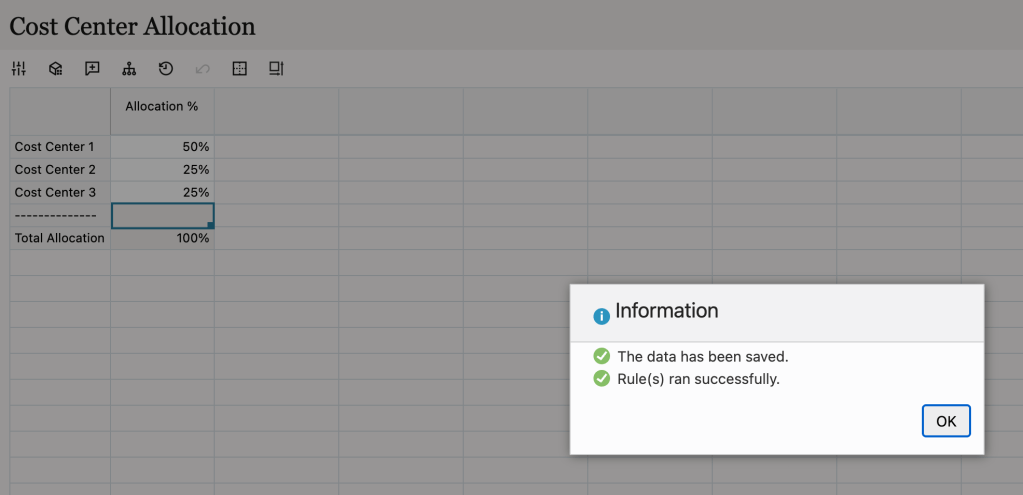
Here is the result:
50% + 25% + 25% = 100.
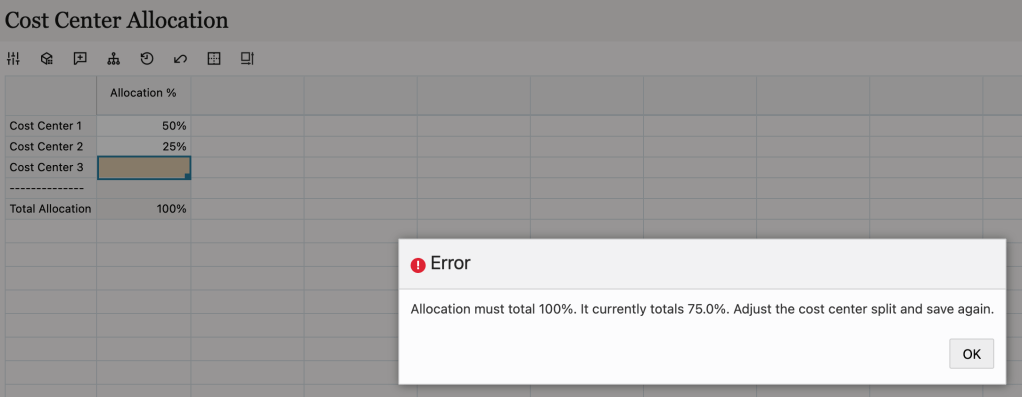
50% + 25% = 75%. A validation error is displayed.
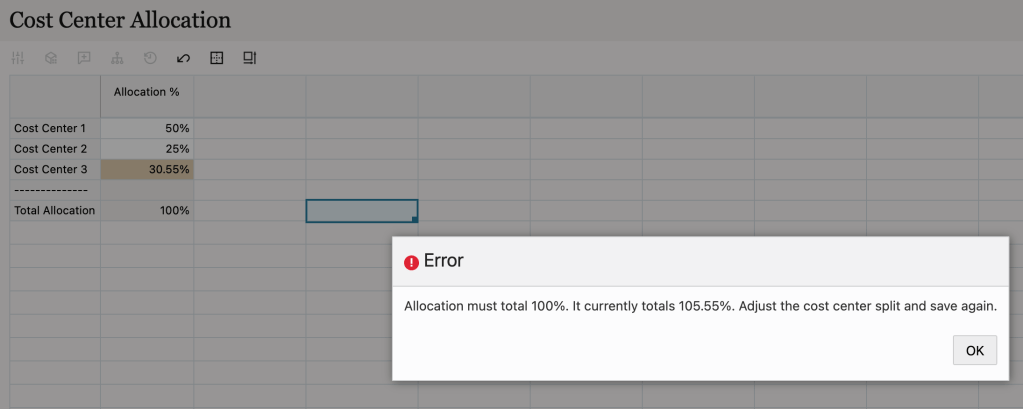
50% + 25% + 30.55% = 105.55%. A validation error is displayed.
Hopefully this is simple and useful for you.


Leave a Reply