A powerful command – @CalcMgrCompare – A way to compare strings
If you’ve used an IF statement in EPBCS (Planning), you’ve probably tried using a substitution variable in your IF statement.
Here’s a simple example: if the current period is Jul, look back one year.
IF(&CurrentPeriod == "Jul") "Result" = "Actual"->&PriorYr;ELSE "Result" = "Actual"->&CurrentYr;ENDIF
Calc Manager validates the rule, and the rule runs successfully. However, there’s a problem. It never gets to the ELSE statement.
Why is that?
If you know programming, you might expect &CurrentPeriod to be a string, just like “Jul”. So, if &CurrentPeriod is set to Jul, you would expect the first block to execute. If it’s anything other than Jul, you would expect the ELSE block to execute.
That’s where things get a little tricky with Planning substitution variables and Calc Manager. This is where @CalcMgrCompare comes in handy.
What is Essbase actually doing?
When Essbase evaluates a substitution variable, it actually replaces the substitution variable with the corresponding member. In our example, &CurrentPeriod is replaced with Apr because we set CurrentPeriod to Apr.
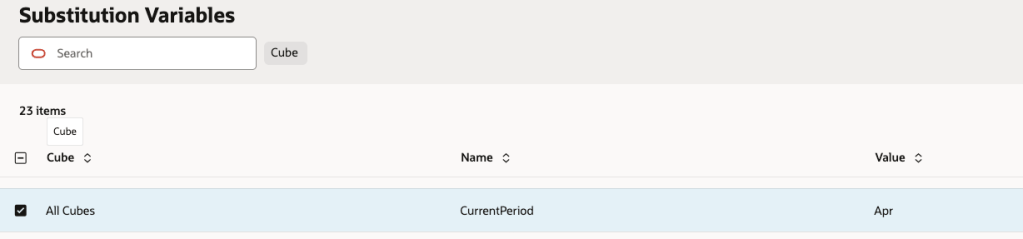
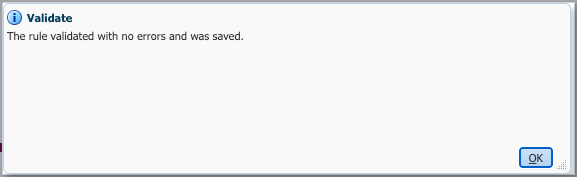
The rule validates because Apr is a member in the application.
Now, let’s change the subvar to a random value.
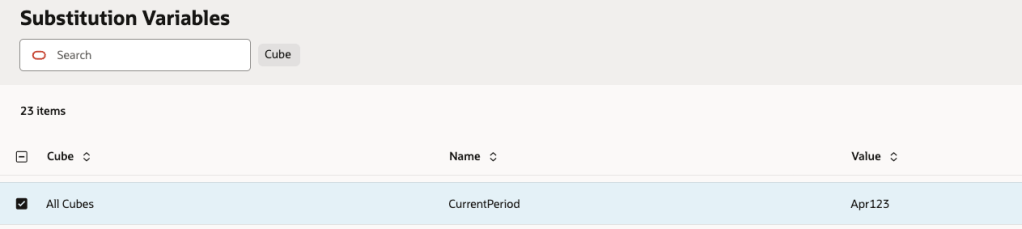
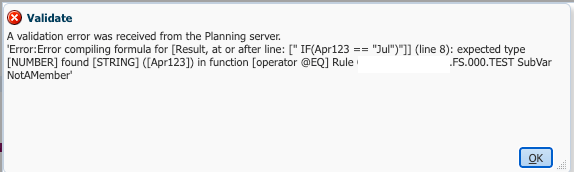
It doesn’t validate because Apr123 is not a member.
Why is this important?
This is important because it shows that a value that looks like a string doesn’t necessarily get evaluated as a string in Essbase. When Essbase evaluates a substitution variable, it replaces it with plain text and then resolves that text to a member when it compiles the rule.
What does this mean?
Essbase is not comparing the strings; it is comparing the data values at specific intersections.
IF(&CurrentPeriod == “Jul”) –or– IF(Apr == “Jul”)
Essbase evaluates Apr and Jul as member intersections rather than treating them as text strings. It looks for the data value at each intersection and compares those values.
In our example, there is no data at either intersection, so both evaluate to #MISSING. In other words, Essbase is effectively comparing:
#MISSING == #MISSING
That’s why the IF statement behaves differently than you might expect if you’re thinking about it from a traditional programming perspective.
How to fix it?
Luckily, Essbase does have a way to compare two strings. It just isn’t part of the native Calc Script functions. Calculation Manager provides a set of Custom Defined Functions (CDFs), and one of them does exactly what we need:
IF(@CalcMgrCompare(@NAME(&CurrentPeriod), @NAME("Jul"), @_true))
That’s the beauty of CDFs. Remember, you still need to use @NAME to return the member’s name as text. If not, it will not work.
@_true or @_false, controls whether case is ignored.
Here is the syntax from Oracle:
Java Class: com.hyperion.calcmgr.common.cdf.StringFunctions.compare(String,String,boolean)
CDF Spec: @CalcMgrCompare(text1,text2,ignoreCase)
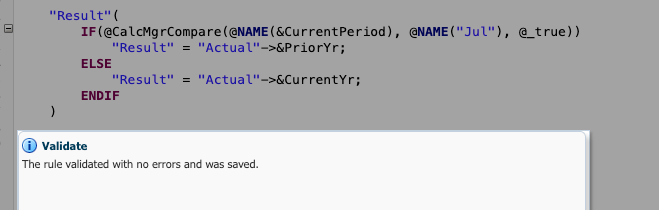
It validates and it works. It’s now comparing two strings.


Leave a comment